Can AI answer questions about confidential documents securely?


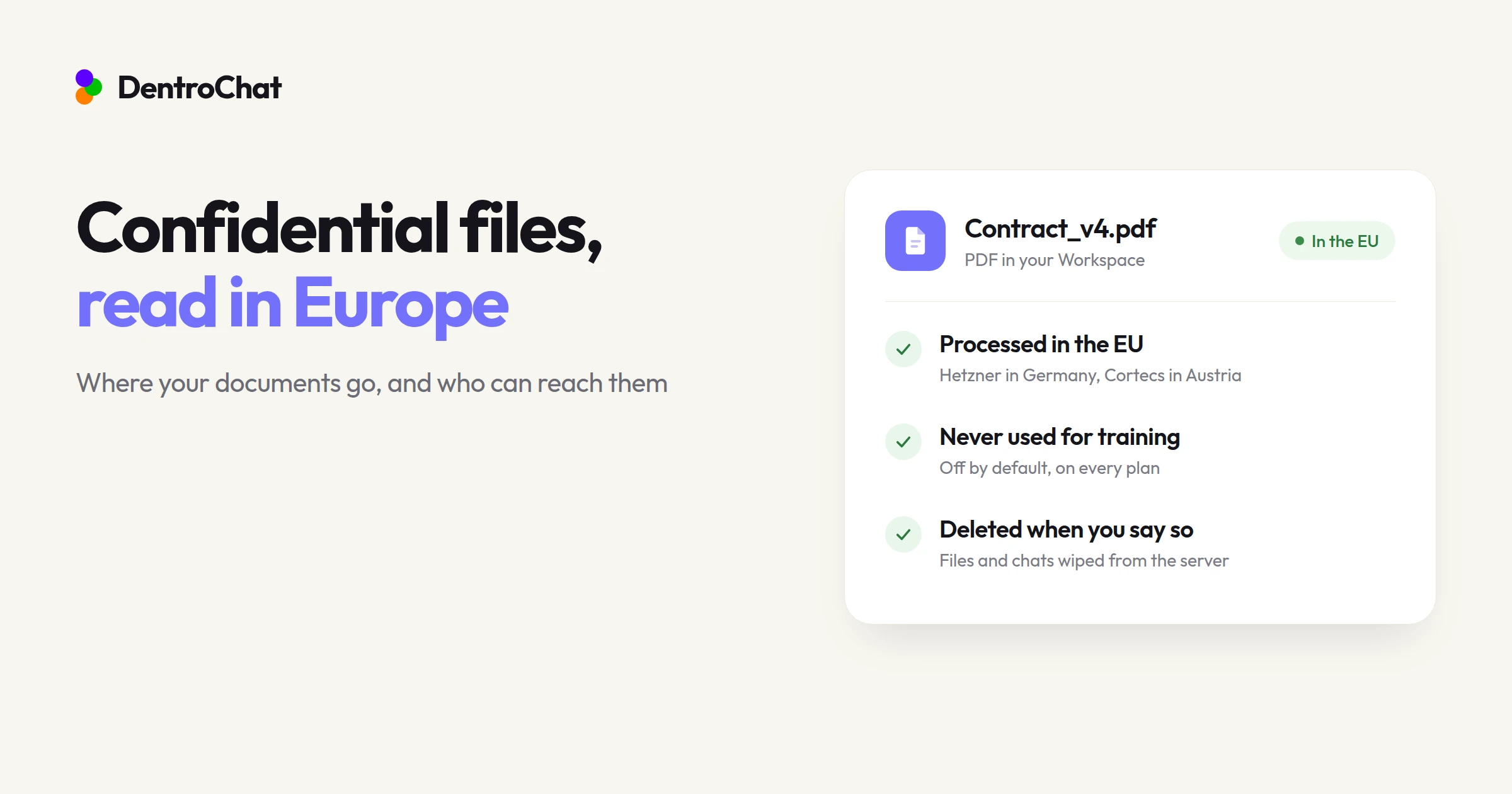
Yes. AI can answer questions about confidential documents securely when the service processes your files on European Union servers and never uses them to train its models. You also need full control over storage, so you can keep your files in a private workspace for as long as you want or delete them whenever you choose. DentroChat is exactly this AI assistant for working with confidential documents securely.
Most people who work with confidential documents still hesitate before dropping a file into a chat box. Rightly so. Maybe you have therapy session notes that need turning into a referral letter for a specialist, or a draft annual statement from a tax client with numbers that seem suspicious. Once a PDF leaves your laptop, the AI provider has to read the text to answer your question. Where that server stands, and what the provider does with your file afterwards, decides who else might get to read it.
What happens when you upload a confidential document to an AI chat?
When you attach a PDF or a spreadsheet to a prompt, the file goes to the provider’s server over an encrypted connection and gets unpacked into plain text so the model can read it. Language models can’t work on encrypted ciphertext directly. Which means that for at least the moment of the reply, the readable text sits in memory on someone else’s machine.
The real trouble usually starts after the answer is already on your screen. Standard consumer AI apps keep your uploaded files in your account history indefinitely and log prompts for “abuse monitoring”. Unless the terms explicitly say otherwise, human contractors can read flagged chats. Also, your text might end up in the next training run.
For a public whitepaper, who cares. But when the document holds patient health data or internal HR notes about a works council dispute, uploading it to a service that trains on prompts can break both the GDPR and your own confidentiality rules.
Why does server jurisdiction matter for confidential files?
Where a server stands, and (more importantly) who owns the company behind it, decides which authorities can demand your files. When you use a US-based AI provider, your upload falls under American law even if the marketing page promises a data center in Frankfurt or Dublin.
That’s because of the US CLOUD Act. Under that law, US authorities can force any American company or its European subsidiary to hand over stored data, no matter where the physical server sits. A standard Data Processing Agreement doesn’t override federal law in the provider’s home country. An “EU region” on a US cloud still leaves a legal backdoor wide open.
To keep confidential files under European law, the provider itself has to be a European company running on European-owned hardware. And for a lot of professions, standard GDPR compliance isn’t even the whole story. On top of a Data Processing Agreement under Art. 28 GDPR, doctors and therapists, tax advisors, auditors, and lawyers are bound by strict professional secrecy rules, including legal professional privilege in Ireland and the UK or criminal secrecy statutes like § 203 StGB in Germany and Art. 226-13 of the French Penal Code. If you’re checking a tool for your organization, our GDPR-compliant AI chatbot checklist goes through what to verify before anyone uploads a confidential file.
Does the AI train on your documents, and who controls your stored files?
Jurisdiction is half the story. The other half is what happens to your files while they live in your account. Before you upload anything sensitive, check two things in the provider’s terms:
- Model training has to be off by default. Some AI chats make you dig through settings to opt out of training, and others only turn training off if you pay for an enterprise plan. If you handle confidential documents, pick an AI that doesn’t train on your data on any tier.
- Your workspace should work like a private drive that you control. Real work rarely looks like “upload a file, ask one question, delete it five minutes later.” Usually you want a permanent place for your balance sheets or project folders so you can keep them there indefinitely and come back to them whenever you need. At the same time, when you do decide to remove a file or a conversation, the delete button has to actually wipe it from the server.
Which document analysis AI supports on-premises or private cloud deployment for stronger confidentiality?
Teams with strict secrecy rules usually look at self-hosted open-weight models on their own hardware, or they look at a dedicated European cloud workspace.
Running a model on your own servers gives you total physical control because no file ever leaves your building. In practice, though, almost nobody outside huge companies wants to babysit a rack of high-memory GPUs. Or fix broken PDF parsers when a scanned table comes out garbled…
For medical practices and mid-sized companies that want that level of isolation without running their own hardware, a European workspace does the job. With DentroChat Business, teams get shared projects with drive-like folder storage and an audit log. We also provide a Data Processing Agreement under Art. 28 GDPR and work through national professional secrecy obligations (such as § 203 StGB in Germany) with your organization. Everything runs in Europe on European owned hardware, and your IT team doesn’t have to configure any GPUs.
How can you verify how DentroChat handles confidential documents?
Every vendor claims to take privacy seriously. The easiest way to check is to ignore the homepage slogans and look at the subprocessor list and the actual product controls. DentroChat is run by DentroInnovation OÜ in Estonia (EU), check all other info of our setup yourself:
- European-only infrastructure: Every server and model provider is in the EU or Switzerland, with zero US companies used. Application servers and files sit on Hetzner in Germany with encrypted backups on Scaleway in France. AI inference routes through Cortecs in Austria to European hosts like Entrim in Slovenia. Read the full list on our subprocessors page.
- Working with files over time: You can attach a PDF or a spreadsheet and ask questions or edit them. Every file you upload stays in your Workspace for as long as you want to keep it, so you can build up your files like a drive and come back to them months later without uploading them all over again. Read more in Upload images and files.
- Deleting files or chats whenever you choose: If you ever want to remove an attachment from your workspace, you can delete it for good as explained in Manage your files. Or you can delete a whole thread in two clicks with Delete a conversation.
- Keeping sensitive chats out of AI memory: If you use DentroChat’s memory feature across your everyday chats but have one sensitive patient or HR topic that shouldn’t bleed into other conversations, switch on Discreet chat. A discreet chat still saves your thread in the sidebar so you can keep working on it, but it stays walled off from AI memory and search.
What can you actually ask AI to do with confidential documents?
Once you know the files stay in Europe on European owned hardware, you can use AI for anything. For example the tedious reading and drafting work that usually eats up your afternoon:
- Turn rough notes into structured letters: A doctor or therapist can drop in session notes and ask for a clean referral letter to a specialist, while patient data stays on European servers.
- Check numbers across financial statements: A tax advisor or controller can attach an
.xlsxsheet and a draft annual report, then ask where the figures don’t match or have the AI explain a tax notice in simple terms for a client letter. - Summarize internal HR and business files: An HR lead can upload works council objections or internal policy drafts and ask for a summary of the open points.
- Compare two versions of a contract: Upload v3 and v4 of an agreement in the same message and ask what changed in the liability or termination clauses.
And if you’re evaluating another tool and want to know where its uploads actually go, paste its privacy policy URL into our free Privacy Policy Analyzer. It reads the fine print for you and flags US data transfers and training clauses.